
Videos
Watch it done
Walkthroughs for the OpenPLC toolchain, from a first ladder program to deploying on real hardware. Search the library, or scroll down for the OpenPLC v3 archive.
Getting startedOfficial
OpenPLC v4 tour: irrigation controller, part one
Laying the controller out in Function Block Diagram, with placeholder blocks in Ladder, Instruction List and Structured Text.
Watch on YouTubeArchive
Still running OpenPLC v3
OpenPLC v3 is discontinued
There are no further v3 releases and no further fixes. That is why the v3 editor so often refuses to install on a current version of Windows, macOS or Linux: the version is the problem, not the machine, and nothing is coming to repair it.
OpenPLC v4 is the maintained version. It installs like any other desktop application, and every fix and new feature now lands there. If you are deciding where to start, start there.
Go to OpenPLC v4The videos below were made for v3 and still show it accurately, which is the point of keeping them: plenty of controllers are still running v3 and the material that matches those screens is worth being able to find. None of it is a reason to begin a new project on v3.
From the OpenPLC channel
The Basics series, made by the project during the v3 years. It runs in order, from installing the tools to putting an HMI in front of them.
- Basics 01: Installing the OpenPLC EditorOfficialGetting the editor onto Windows, macOS or Linux and opening a first project.
- Basics 02: Installing the OpenPLC RuntimeOfficialPutting the runtime on a target machine and confirming it is reachable before you deploy anything.
- Basics 03: Programming an Arduino boardOfficialBoard configuration, pin mapping and uploading a ladder program to an Arduino target.
- Basics 04: OpenPLC on Raspberry Pi with ModbusOfficialRunning the runtime on a Pi and wiring it to remote I/O over Modbus.
- Basics 07: Connecting OpenPLC to an HMIOfficialWiring the runtime up to ScadaBR so an operator has something to look at.



From the community
Tutorials from independent channels, covering the ground the Basics series does not: simulation, HMIs and the blocks most control logic is built from.
- An introduction to OpenPLCby Instrumentation ToolsWhat the project is and what the editor and the runtime each do, for someone who has opened neither.
- Connecting OpenPLC to Factory I/Oby seafox cDriving a simulated plant from the runtime, so logic can be tested before anything is wired.
- Building an HMI with ScadaBRby seafox cDrawing an operator screen in ScadaBR and pointing it at a running OpenPLC controller.
- Timers and counters in a PLC programby Learning OrbisThe two blocks most control logic is built from, used in a worked ladder example.


On specific hardware
Putting v3 on a particular board. Arduino, ESP8266 and Raspberry Pi Pico, each built and programmed from scratch.
- OpenPLC and Arduino, part oneby Saeed AlSaeedGetting a first Arduino board recognised and running logic sent from the runtime.
- Uploading PLC code straight to an Arduinoby seafox cCompiling a program onto the board itself, so it runs with no host machine attached.
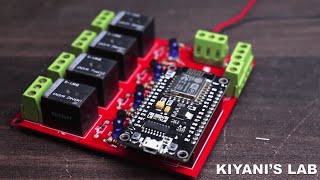
- Building a mini PLC around an ESP8266by Kiyani's LabAssembling a small controller board and loading OpenPLC onto the ESP8266 that drives it.
- Building a Raspberry Pi Pico PLCby OnosTechTurning a Pico into a controller, from wiring the I/O to running a program on it.
- OpenPLC on an ESP8266 over Wi-Fiby seafox cRunning a controller on an ESP8266 and reaching it across the network instead of a cable.